Figura
Figura is a really interesting mod. It basically takes VR-Chat avatars, and puts them inside Minecraft. You can create custom 3D Models, sounds, animations, and even custom programs written in Lua!
Here's an image of a WIP outfit for my character!
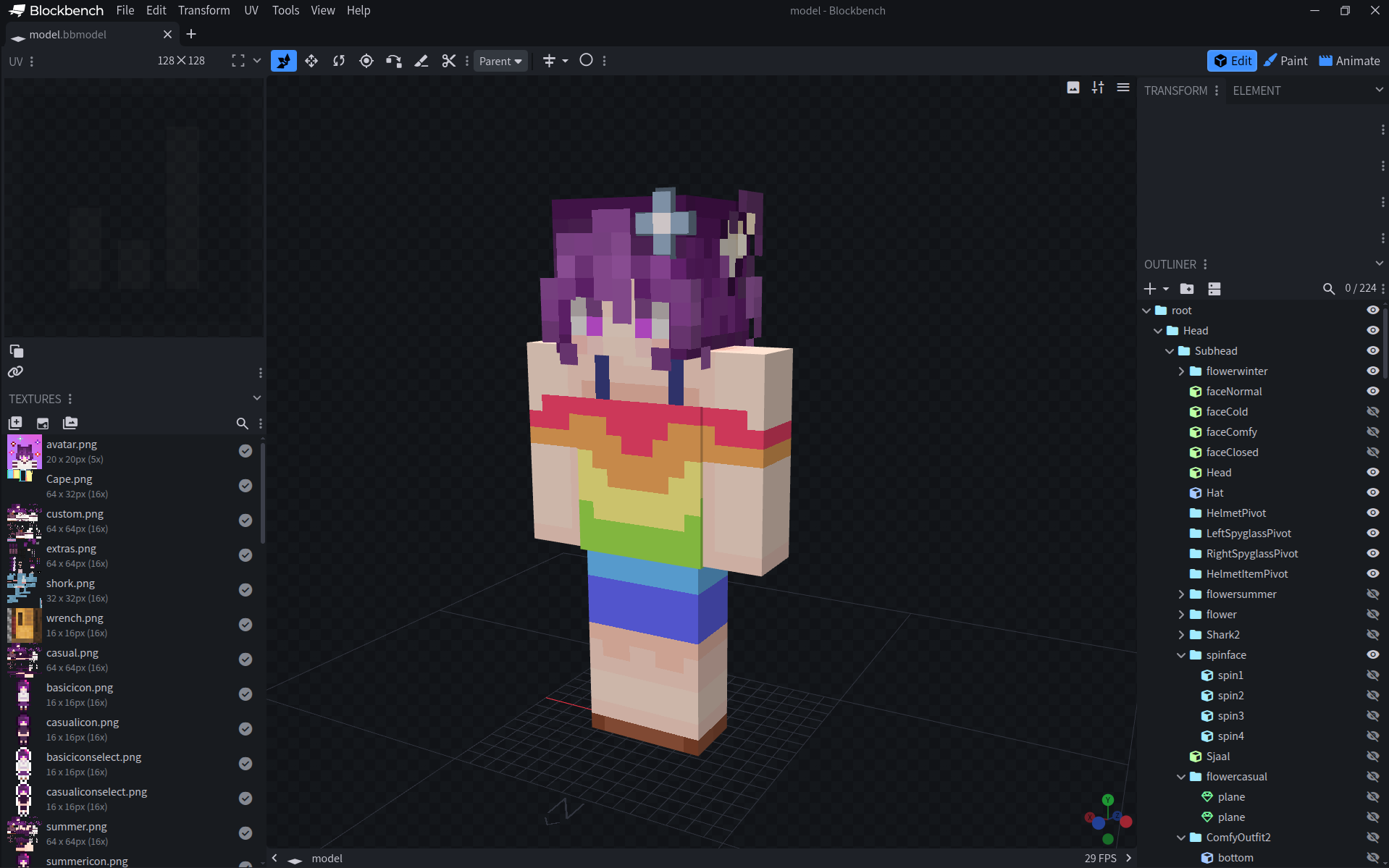
It's mostly in the shape of a minecraft avatar, but you can make basically anything. Want a walking titanic ship? Sure! Want to use a pokemon model from the cobblemon mod? Of course! Literally anything you can make in blockbench is possible.
And here's a screenshot of how the code looks of part of my avatar! I might upload it later on github, but it's incredibly messy right now! And way too long to put inside a blog!
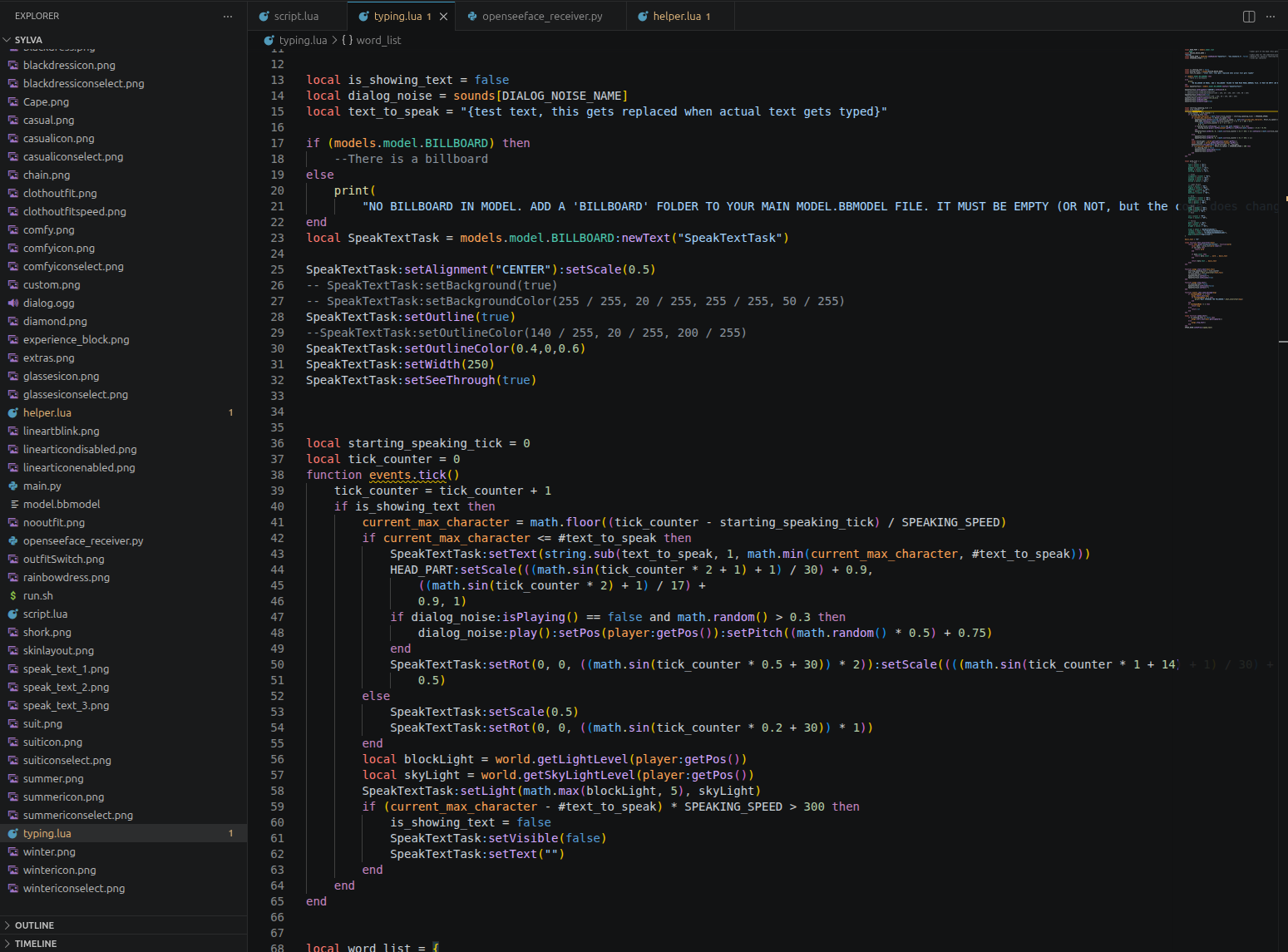
Everything is written in lua, with many events and functions from Figura. It makes it possible to do a lot, including the little speech bubble seen on the thumbnail of this post! But I have done things from raytracing to making a super simple physics engine. Inside of an avatar, inside minecraft. It's genuinely crazy how powerful it is.
The Animal Crossing Speech
Someone on discord sent me a YouTube video a few days ago. I didn't watch much of it. Because I immediately got inspired by the Figura avatar in it.
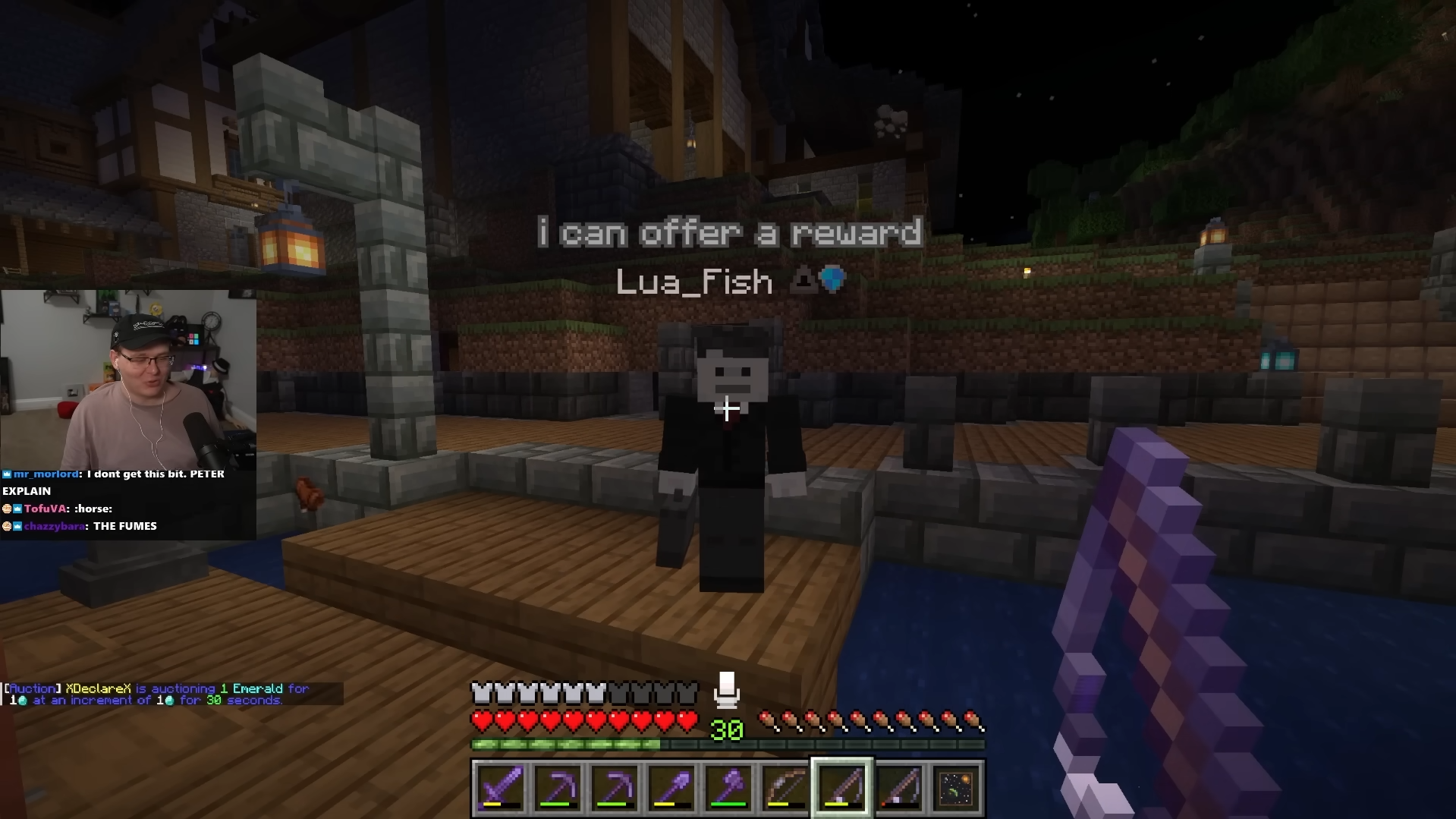
Instead of Proximity Chat, someone was creating a speech bubble above his head, writing out messages with fun sounds! And I really wanted that for my avatar too. I don't really use Voice Chat, so making noises while typing ingame instead of boring chat messages would a nice feature. I could even color some of the words in! Like making swears red! Or "rainbow" colorful!
It took a few hours, but I made it work, and it looks so good in my opinion. The sounds are great too. Probably my favorite feature of the avatar!
And of course, at the end of this post, I'm adding the code!
You just have to create a typing.lua file inside your Figura Avatar. And add the code into it! A very short dialog.ogg is needed. It needs to be a .ogg, and mono-sound. For lower storage-usage, the bitrate can be set a bit lower. I personally used a single beep from Asriel's voiceline sounds, cut up using audacity.
After that, you can change the 4 UPPERCASE variables on top of the code.
HEAD_PART needs to be set to whatever part the root of the head is. That part gets scaled to make the talking animation!
DIALOG_NOISE_NAME shouldn't be changed if you kept the dialog.ogg name. But if you rename that file to speech.ogg, you can change the variable to "speech" (as an example)
SPEAK_BIND is the keybind for making the avatar say whatever is inside your clipboard! It's also used for cancelling/removing an active speech bubble. It's set to 'h' as a default.
SPEAKING_SPEED is the amount of ticks that are needed per letter "typed". The lower the value, the faster the speech goes! Around 1-2 was the sweet spot for me.
Lastly, you need an (empty) BILLBOARD parent folder in your blockbench. It should be in your model.bbmodel on the topmost layer.
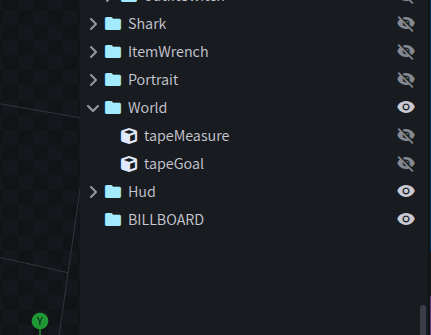
The pivot of the billboard gets changed to allow the text to rotate around above the player. That's why it has to be empty. (Might mess up the rest of your avatar otherwise!)
And that's basically it! I modified my version to add a toggle to switch between chat-only, speech-only, or both. But that needs integration that's only really possible per avatar, so you gotta do that yourself if you want it!
Anyways, here's the code I promised earlier!
I have it on pastebin, but in case it somehow gets deleted, I put the entire script as raw data on the site too!
Have fun using Figura! And thank you for reading!